
If you manage buildings, you have probably heard the term CAFM. It is one of the most searched-for phrases in UK facilities management, yet it is often explained in jargon. This guide sets out what CAFM means, what a CAFM system actually does, and how to tell whether your organisation needs one.
What does CAFM stand for?
CAFM stands for Computer-Aided Facilities Management (sometimes written "computer aided facility management"). It describes software that helps facilities teams plan, record and control everything that keeps a building or estate running: maintenance, assets, contractors, compliance, space and costs.
In short, a CAFM system replaces the spreadsheets, paper job sheets, email chains and shared drives that many FM teams still rely on, and puts all of that information in one place.
What does a CAFM system do?
Most CAFM systems are built around a few core jobs:
- Helpdesk and reactive jobs - staff or occupants report an issue, a job is raised, assigned and tracked through to completion.
- Planned preventive maintenance (PPM) - recurring tasks such as servicing, inspections and statutory tests are scheduled automatically, so nothing is missed.
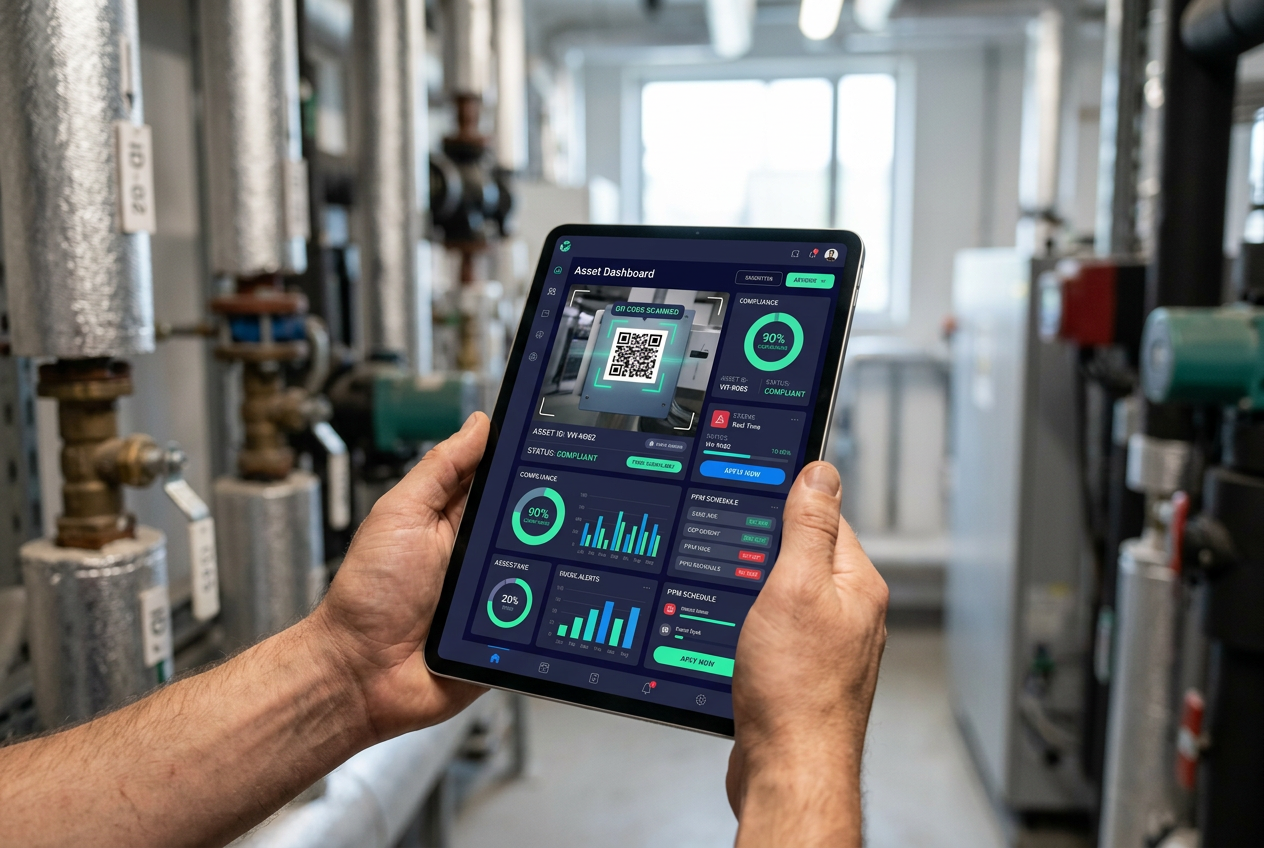
- Asset management - a register of every asset, with its location, condition, service history and documents, often linked to QR codes on site.
- Contractor management - who is approved, which jobs they hold, and whether their insurance, accreditations and RAMS are in date.
- Compliance - evidence that statutory and regulatory checks (fire, water hygiene, gas, electrical, lifts and more) have been done on time.
- Reporting and cost control - dashboards showing performance, overdue work and spend across sites.
CAFM vs CMMS: what is the difference?
A CMMS (computerised maintenance management system) focuses mainly on maintenance work and equipment. A CAFM system is broader: it covers maintenance, but also the wider management of buildings, including compliance, contractors, space and estate-level reporting. Many modern platforms blend the two, so the label matters less than whether the system covers the work your team actually does.
Who uses CAFM software?
CAFM is used anywhere that buildings, assets and compliance need to be managed across one or many sites, including:
- Universities and colleges
- NHS trusts and healthcare estates
- Housing providers and owners of high-rise residential buildings
- Local authorities and public sector estates
- Retail and commercial property portfolios
- FM service providers managing sites for clients
The benefits of a CAFM system
- Fewer missed inspections - automated PPM schedules and reminders mean statutory checks happen on time.
- Audit-ready evidence - certificates, photos and completion records sit against the asset and job, ready when an auditor or insurer asks.
- Less time chasing - contractors, documents and job updates are visible in one place instead of across inboxes.
- Longer asset life - maintenance history and condition data help you plan repairs and replacements before failures.
- Better budget control - spend can be tracked by site, asset and contractor, so cost decisions are based on data.
Signs you need a CAFM system
You are likely to benefit from CAFM if:
- Your asset register lives in spreadsheets that are rarely up to date.
- Finding a certificate for an audit takes hours rather than seconds.
- You cannot quickly see which statutory checks are overdue across your estate.
- Contractor documents expire without anyone noticing.
- Reporting to senior leaders means pulling numbers together by hand.
What to look for when choosing CAFM software
- Ease of use - if engineers and contractors will not use it on site, the data will not be reliable.
- Mobile access - jobs, asset records and QR scanning on a phone or tablet.
- Compliance built in - not bolted on, with clear evidence trails.
- Configurable without code - your workflows should fit the software without expensive custom development.
- Security and data protection - recognised standards such as ISO certification and UK GDPR compliance.
- Onboarding and support - a team that helps migrate your data and gets you live quickly.
How Virtual Helpdesk approaches CAFM
Virtual Helpdesk is a UK CAFM platform that brings facilities, assets, estates, contractors and compliance together in one place. Teams use it to run their helpdesk and PPM schedules, keep a live asset register, manage contractor compliance, and hold a reliable golden thread of building information for higher-risk buildings.
If you are weighing up whether CAFM is right for your organisation, the quickest way to find out is to see it working with your own kind of estate. Talk to our team or book a demo and we will walk you through it.
Frequently asked questions
What is CAFM in simple terms?
CAFM is software that helps organisations manage their buildings: maintenance jobs, assets, contractors, compliance checks and costs, all in one system.
Is CAFM the same as facilities management software?
Broadly, yes. "CAFM" is the established industry term for facilities management software, particularly in the UK.
Is CAFM only for large organisations?
No. Single-site organisations use CAFM to stay on top of compliance and maintenance, while large estates use it to standardise work across many sites.